
A show feels unfinished if there’s no show program ready to be handed out on gala night. Whether it’s in the traditional printed form or digitally hosted via a QR code, a theatre program pulls the whole show together. Moreover, it is a perfect way to engage your audience and make them excited about what to expect even before the curtain rises. Nonetheless, creating a program doesn’t have to be complicated but, at the same time, shouldn’t be overlooked. If the task was assigned to you and you don’t know where to start, my comprehensive guide will help you kick off your editing journey.
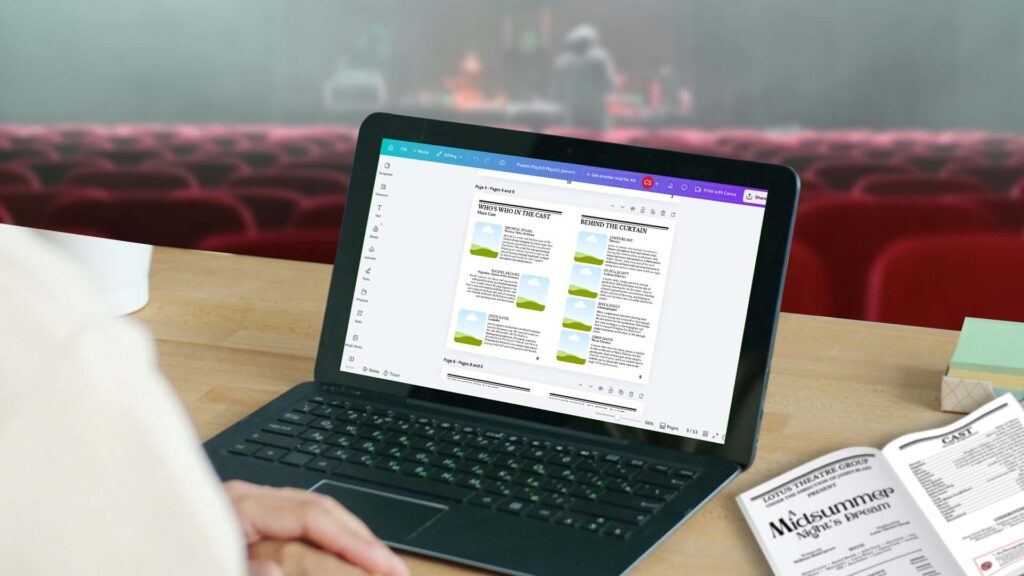
What Tools to Use
You will need:
Canva account – Create a free Canva account. You don’t have to subscribe to a Pro account, although Pro users will have more flexibility and access.
Internet – You will need a stable internet connection to access Canva. Edit anytime and anywhere.
The Canvas
Size and orientation
For this tutorial, we will use an A4 size in landscape orientation. The pages will be saddle-stitched, folded in half, and stacked, creating an A5-sized booklet once folded.
Set the Margin Guides
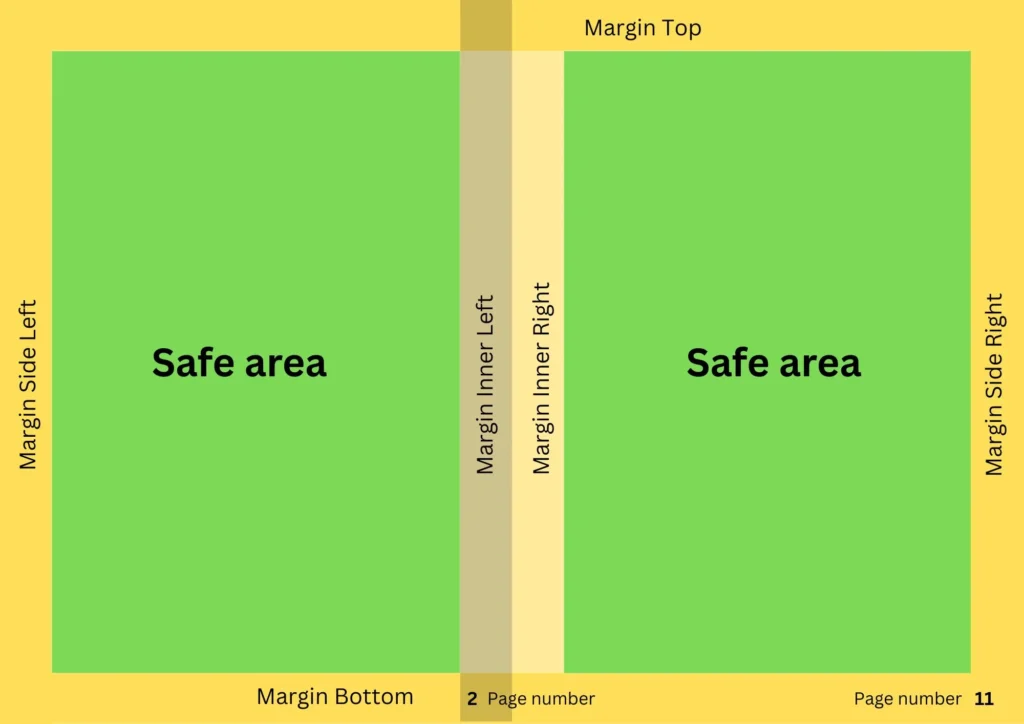
Get the centre of an A4 size, and you can set the top and bottom, left and right margins to half an inch. To pull the margin lines, go to File, then Settings, and click “Show ruler and guides.” If you already see the ruler, you just have to drag it to the desired position. Once everything is positioned, make sure to lock it to avoid messing it up (File → Settings → Lock guides).
Page Numbering
Please note that pages must be added or removed in multiples of 4. Adding or removing only 2–3 pages will leave some sections blank. Page numbers must also be manually positioned and updated, as Canva doesn’t automatically update them once you remove or add pages.
For this tutorial, we will do a 12-page program.
Left side: Even numbers
Right side: Odd numbers
Pages 12 (left, Back Cover) and Page 1 (right, Front Cover)
Pages 2 (left) and 11 (right)
Pages 10 (left) and 3 (right)
Pages 4 (left) and 9 (right)
Pages 8 (left) and 5 (right)
Pages 6 (left) and 7 (right)
Once you’re set with margins and page numbers, you can start plotting the essential contents and anatomy of the program.
Anatomy of a Theatre Program
Front Cover (Page 1)
You can insert the main poster as a standalone cover, or you can add elements.
Production Page (Page 2)
It typically includes:
“Theatre Company presents”
Title of the play or musical
Playwright / composer / lyricist
Director
Key production credits (music director, choreographer, etc.)
Sometimes licensing credit (e.g., “Presented by arrangement with…”)
Cast List
Depending on your preference, the cast list can be arranged by order of appearance or hierarchy of character.
Synopsis/Scene breakdown
Guide your audience with a brief synopsis and/or scene breakdown.
Welcoming Message/Director’s Note
A personal note from the director or producers. Make this a special page to warmly welcome the visitors and introduce what the play or season is all about.
Cast bios
Highlight the cast with a headshot photo and a brief bio of their involvement and production history. It is advisable to set a maximum or equal word count for all bios for aesthetic and visual flow.
Production team bios
Give proper credit to the people behind the production by giving the production team a space inside your program. It is advisable to set a maximum or equal word count for all bios for aesthetic and visual flow.
Advertisements
Sell ad space inside the program to local businesses to help support funding. Ad sizes can vary from full page, half page (vertical or horizontal), quarter page, and 1/8 page.
Acknowledgement
Give credit when it’s due. Acknowledge individuals and organisations who contributed to the success of the show.
Upcoming Shows
Inform your audience about your show calendar so they can plan their schedule ahead of time.
Back Cover
Use the back cover to highlight major sponsors, or use it for the company’s profile and branding.
Other Contents to Consider
Be creative and unique. While essential sections should always be prioritised, being extra creative with what you include in your program will give it extra personality.
Here are what you can insert:
• Rehearsal photo collage
• Paid shout-out messages from family members or friends of the cast
• Theatre guidelines and decorum
• Trivia about the show or theatre company
• Production history through time
Feel free to organise which content should fall on a certain page.
Exporting and Saving the File
Once you’re done plotting all the contents, the next step is to export and save the file as a PDF. (File → Download → File type: PDF Print. Check crop marks and bleed.) If you are a Pro user, you can export the file into CMYK to get the best printing result.
Save time and try our template
Generate a program with very little effort. Simply drag and drop your pictures and fill in the textbox!
SHOP ON ETSY